
In previous posts, we showcased end-to-end business workflows where the final step—delivering results or critical notifications—was handled by an “Alec” Messaging Agent. Each workflow diagram highlighted Alec as the automated agent responsible for sending these updates to key stakeholders, acting as the bridge between the team’s AI-driven analysis and real-world action. For reference, you can revisit these detailed walk-throughs here: Managing Portfolio Workflows with Natural Language: A Multi-Agent Use Case, Automating Market Vigilance: Scheduled Workflows for Smarter Portfolio Management, Handling the Heat: Workflow Agents in a Critical Incident.
Messaging Agent Core Features and Availability
The Alec agent can be accessed directly from the Agent Marketplace under the Messaging section. Simply navigate to Messaging, select Alec, and either deploy the agent as-is or customize its persona and instructions to fit your workflow—all without coding.
- Analyzes natural-language transcripts—agent dialog, user input, and workflow results—to determine the subject and email type (alert, notification, summary).
- Auto-selects the correct recipients or distribution list from workflow context and dispatches the message.
- Writes delivery status back into the workflow for end-to-end auditability.
- Available as a pre-built messaging agent in the Agent Marketplace’s new Messaging section; no-code, drag-and-drop setup.
- Fully customizable: adjust persona name, tone, and email-formatting instructions to fit any workflow.
Example Use Cases
The first, simple use-case shows how the user can ask Alec to summarize a team discussion and email to a couple of recipients:
User:Alec - please summarize this dialog and send as an email to nekeh10717@dlbazi.com and chris@sentienta.ai

Wed, 21 May 2025 18:20:42 Alec:
Email sent to ['nekeh10717@dlbazi.com', 'chris@sentienta.ai']
Below is an example of the kind of message that Alec will deliver:
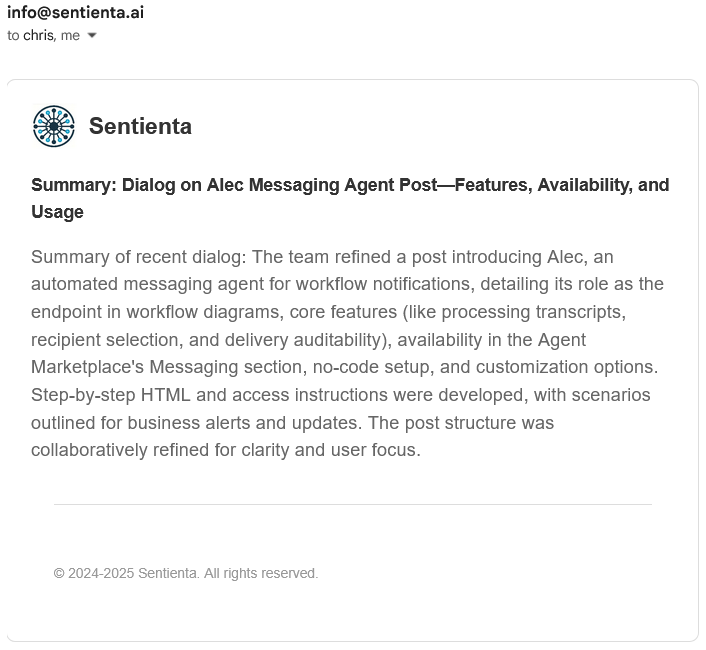
In contrast to the previous example, which highlights Alec’s ability to respond to direct user prompts, the prior use cases focus on Alec’s role in delivering messages as part of automated, executed workflows. In each of these, Alec serves as the final messaging agent in automated workflows, delivering workflow outcomes or critical analysis results to designated stakeholders with context-aware notifications or alerts.
For example, in this post, Alec provided an alert if the price of a stock in the portfolio dropped below a threshold. In this case, the workflow agent created a task that automatically informed Alec of the message type, content, and the condition for sending it. The following shows the task defined for Alec by the workflow agent:
{
    "taskID": "send_alert_AMZN",
    "agent": "Alec",
    "dependsOn": "classify_price_drop_AMZN",
    "params": {
            "message": "The price for AMZN has dropped by more than 1%.",
            "subject": "AMZN Price Alert",
            "type": "email"
        }
}
Conclusion and Next Steps
Alec combines no-code simplicity with powerful automation, making it easy to streamline communications across any workflow. Whether sending one-off summaries or powering complex alerting and notification patterns, Alec’s flexibility and seamless setup help teams communicate more efficiently. Explore Alec in the Agent Marketplace to enhance communication across your workflows.
 Sentienta Blog